Prepare a second place for recovery
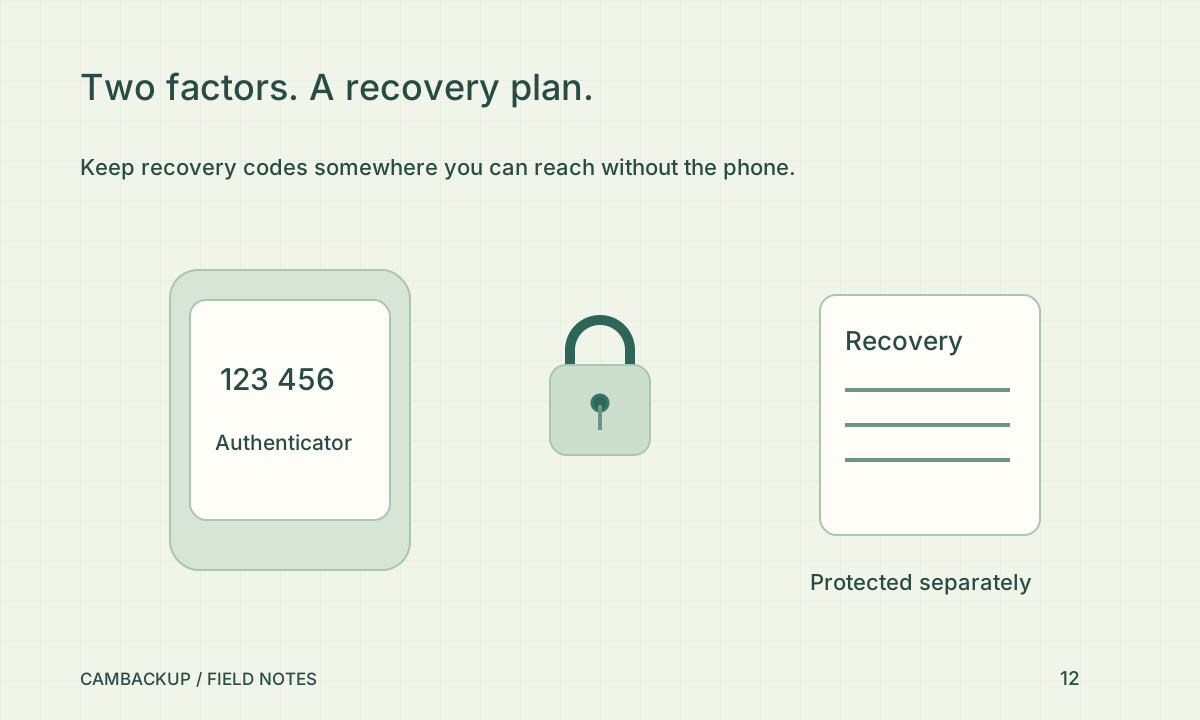
Choose where to store recovery codes before you start. A password manager or another protected offline location may fit your situation; the important property is that it remains available when the authenticator phone is missing. Do not leave the only recovery copy in the same unprotected phone gallery. The CISA MFA tip sheet describes the value of an additional factor. It does not mean every recovery method has the same security properties.
Enroll and confirm the code
In CamBackup, open Account security, begin authenticator setup and scan the QR code with your authenticator app. Enter a current code to confirm enrollment. Keep the seed and QR private: anyone with that secret can generate codes. Save the resulting recovery codes once, then test a fresh sign-in before ending the setup session. If a code is rejected, check that the device time is correct rather than repeatedly guessing.
Understand what changes
CamBackup applies the MFA gate to password, magic-link and connected social-provider sign-in. Enabling or changing security settings revokes previous sessions and developer tokens as documented in the account controls. A password reset is not a way to disable the second factor. Plan to reconnect legitimate integrations with new scoped credentials after the security change, and verify those integrations rather than assuming their old keys will keep working.
Practice the lost-phone decision
Know where the recovery codes are and which trusted device you would use to sign in. Each recovery code is single-use. After using one, review account security and replace the authenticator if the old device is lost or compromised. Do not send a recovery code to support or put it in a shared automation configuration. If you cannot complete recovery, contact support without disclosing credentials; ownership checks still matter during an urgent request.
Sources & further reading
Sources reviewed . This article is part of the guide collection published together in October 2026. CamBackup workflow advice is our own; external guidance may change. Local privacy, employment and evidence rules depend on your situation.
Follow our step-by-step setup guides, check supported features and limits, or ask a setup question.