Make a time note first
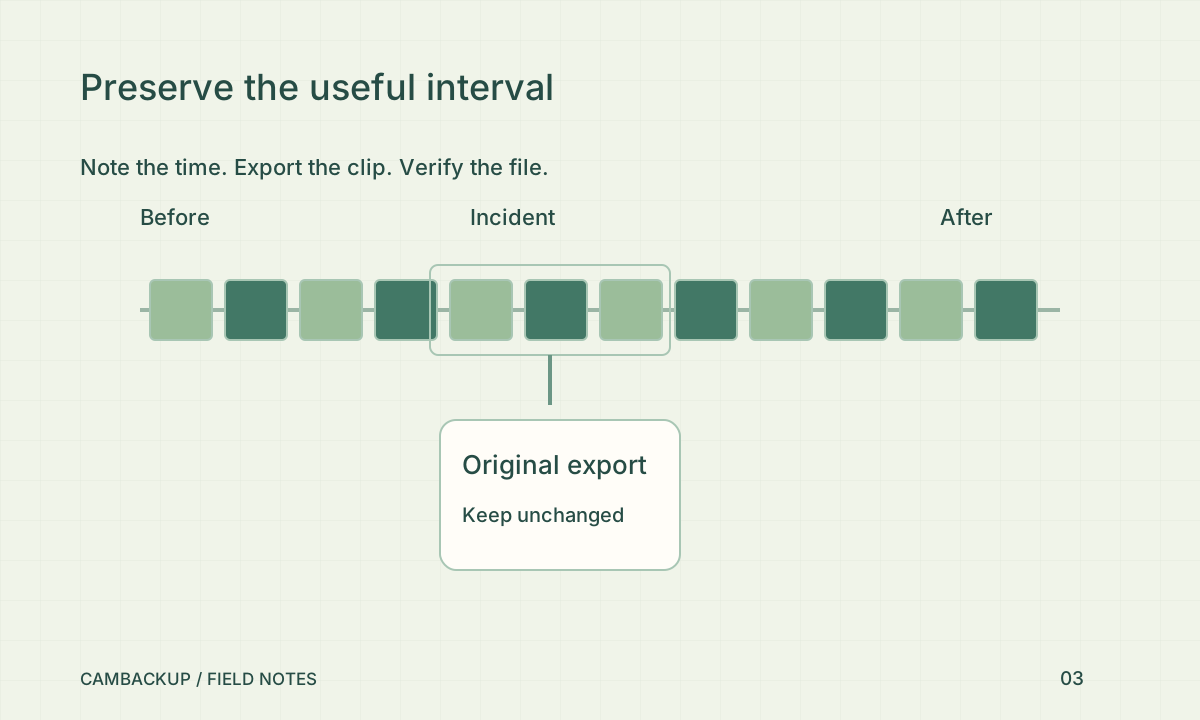
Write down when you noticed the incident, the approximate event window and the timezone you are using. If the camera clock appears wrong, record the difference instead of changing it immediately. Include a little context before and after the event when looking at the timeline. A tight clip may omit the approach, departure or another detail that helps someone interpret what happened. Keep assumptions separate from what the picture actually shows.
Export and verify a copy
In CamBackup, open the relevant recorded interval, create a clip and wait for the export job to finish. Download the result and play it locally from beginning to end. Check that the file contains the intended camera and time window, with usable video and expected audio settings. A queued export or a download button is not evidence that the resulting file is complete. Keep the original download unchanged and make a separate working copy if you need annotations.
Describe what you have
Use a short incident note with the camera name, selected interval, timezone, download date and any known recording gaps. Police.uk’s forensic-evidence guidance explains the usefulness of camera footage and advises preserving the system when you cannot download it. Ask the investigating organisation how it wants material supplied. Avoid posting identifiable footage publicly while trying to solve an incident; that can expose people unrelated to it.
Keep access controlled
Store the export somewhere only the necessary people can access. Do not use a public live widget to distribute a private incident clip. If sharing is needed, use the recipient’s agreed transfer process and keep a note of who received which file. CamBackup exports travel through CamBackup URLs, but a downloaded file can still be copied by its recipient. No software feature can guarantee how a court, insurer or investigator will assess a particular recording.
Sources & further reading
Sources reviewed . This article is part of the guide collection published together in October 2026. CamBackup workflow advice is our own; external guidance may change. Local privacy, employment and evidence rules depend on your situation.
Follow our step-by-step setup guides, check supported features and limits, or ask a setup question.